


ChackTok -Photobooth Event App
4.461.00 Reviews
App Specs
- Version
- 1.9.5
- Updated On
- License
- Free
- Downloads
- 100,000+
- Developer
- 360 photo booth
- Categories
- Photography
- Platform
- Android
Screenshots
 Analysis by AppCompare
If you're like me and love capturing every moment in the most creative way possible, then ChackTok - 360video&photobooth might just be the app you never knew you needed. I recently dived into this app, and let me tell you, it’s like having a mini photo booth studio right in your pocket!
When a 360-style moment is worth the extra steps
I see the strongest case for this photography app at gatherings where a still picture feels too static: a birthday dance, a small celebration, a school event, or a group greeting where everyone wants to be part of the scene. A regular camera is quicker when I only need a snapshot, but the appeal here is making the capture itself part of the occasion. People can move, react, and watch the result together rather than simply posing and moving on.
For a realistic low-pressure test, I would try it at home before taking it to an event. Set up a clear space, ask one or two people to move through the frame, and check whether the finished result suits the way you plan to share it. That small rehearsal helps avoid discovering mid-party that the room is too cramped, the background is distracting, or guests are uncomfortable being recorded. The best result depends as much on the scene and people around the phone as on the app.
The app is free to install, but it also offers in-app purchases priced from $24.99 to $599.99 per item. I would treat that as a reason to explore the basic experience first and decide what, if anything, you actually need before spending. Those purchase amounts make it especially important not to assume that every paid option is necessary for an occasional party clip. If your goal is simply to save a few playful memories, start with the free use and judge the results on your own device.
Planning the shot matters more than tapping quickly
One useful habit is to choose the camera position before guests gather. A stable, unobstructed spot makes it easier for people to understand where to stand and gives the scene room to work. I would also keep the phone away from walkways and drinks; this is a practical precaution for any event recording, not a special accessory requirement. If everyone crowds close to the lens, the sense of a shared scene can disappear, so leaving a little room often helps more than adding another effect.
It is also worth deciding what the clip is for before recording. A lively group moment may suit social sharing, while a quieter family memory might be better kept for the people who were there. Since this kind of capture can include faces and background conversations, I would tell guests what I am doing and ask before posting anything that shows them. That simple courtesy keeps a fun photo-booth moment from becoming an awkward surprise later.
ChackTok comes from the developer 360 photo booth. It is listed in photography, has a Teen content rating, and its current version is 1.9.5. The app has a 4.3 average from 504 ratings, with 59 written reviews, and has passed 100K installs. Those figures suggest that it has found an audience, but they do not tell me how it will behave on every individual phone or in every room. I would still test it in the conditions where I expect to use it.
Worth Reading Before You Choose

Flipboard Shows What News Apps Must Do Beyond the Feed

Switching to Android Auto Means Rethinking Your Driving Routine

Google Calendar Makes a Crowded Week Easier to Manage

Ludo King Makes the Most of the Minutes Between Plans

Baby Panda World Brings Quick Play to Modern Phones, but Its Game Library Feels Busy

ESPN’s Live Game View Makes Following Close Games Easier
What is ChackTok All About?
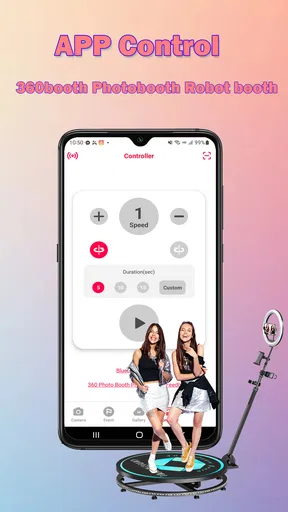
So, ChackTok - 360video&photobooth is an app designed to transform your video and photo-taking experience. Imagine being able to create those cool 360-degree videos you often see at events or parties. Yep, that’s exactly what ChackTok does, and it’s pretty darn cool. The app is user-friendly, allowing you to create stunning visuals without needing any fancy equipment or a tech degree.
The Features That Make It Shine
When I first opened the app, I was greeted with a simple and intuitive interface. Within minutes, I was navigating through its features like a pro. Here’s what caught my eye:
- 360-Degree Video Capture: This feature is the heart of the app. With just a few taps, you can create immersive videos that capture every angle of your subject. It feels like you’re bringing a piece of the party with you!
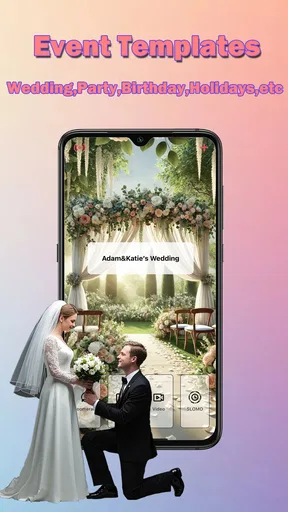
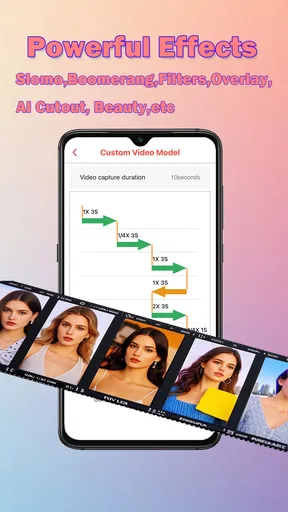
- Photo Booth Effects: Add a little spice to your photos with a variety of filters and effects. From vintage vibes to modern aesthetics, there’s something for everyone.
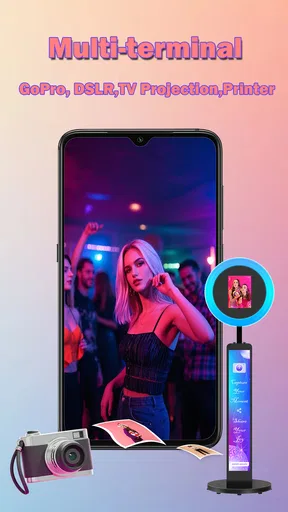
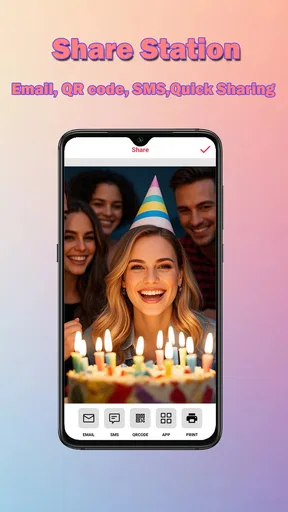
- Easy Sharing Options: Once you’ve created your masterpiece, sharing it with friends and family is a breeze. The app integrates seamlessly with social media platforms, which is perfect for those must-share moments.
- Editing Tools: Even if your initial shot isn’t perfect, the app offers a range of editing tools to tweak and perfect your creations.
My Experience Using ChackTok
I took ChackTok for a spin at a friend’s birthday party, and it was an absolute hit. Setting it up was super straightforward. I set my phone on a tripod, launched the app, and started capturing everyone’s goofy dances and candid moments in a full 360-degree view. The reactions were priceless, and the footage was impressive.
What I loved most was the variety of effects. They added a fun twist to our photos, making even the simplest shots look professional. Plus, the immediate sharing option meant I could upload everything to Instagram and Facebook in real-time, keeping the party spirit alive online as well.
Keeping the recording smooth when the room gets busy
A lively event is also the situation where performance matters most. People move unpredictably, several things happen at once, and there may be little time to repeat a take. I would keep the framing simple, avoid asking a large group to move in several directions at once, and capture a short trial before everyone joins in. That gives me a chance to check whether the phone is steady and whether the scene is readable before committing to a more important moment.
Processing can become part of the timing too. A 360-style video may take longer to prepare than a simple photo, and the original review experience noted that this time can vary by phone. I would therefore avoid making the app responsible for an immediate, one-shot deliverable. If the event schedule is tight, take ordinary photos as a backup and let the more elaborate capture happen when there is room to wait and review the result.
For sharing, I find it sensible to look at the finished clip before posting rather than assuming that the first version is ready for everyone. Check that the main action is visible, the chosen effect does not distract, and no one appears in the background who would rather not be included. That quick review is a useful trade-off: it adds a little time, but can save an unwanted upload or a clip that misses the moment.
The Nitty-Gritty
Now, not everything is roses and sunshine. While the app is pretty solid, it does come with a few quirks. For instance, capturing in low light can be a bit tricky. The videos tend to lose a bit of quality, and the app could use some improvement in this area. Also, depending on your phone, the processing time for 360-degree videos can vary, sometimes requiring a bit of patience.
Reliability, recovery, and choosing the right alternative
For an important occasion, I would not rely on any single phone-based capture as the only record of the event. Make a straightforward photo or video as well, especially if the moment cannot be repeated. That is not because this app is unusable; it is a sensible way to protect an important memory when processing time and low-light quality can differ. If a clip takes longer than expected, give it time to finish rather than immediately starting several more demanding captures.
Device age and available resources can affect how comfortable a richer video workflow feels, but I would not claim a specific phone requirement beyond the fact that the app lists a minimum OS of 9. A newer or more capable device may feel more responsive in practice, while an older phone may make waiting more noticeable. Before an event, I would close unrelated tasks, make sure there is room to save the result, and do a test capture. These are general preparation steps, not guarantees of speed, but they reduce avoidable friction.
Compared with a phone’s standard camera, ChackTok is the more playful choice when the aim is a distinctive event-style result; the default camera is the safer choice for quick, familiar snapshots and ordinary video. A conventional photo-booth setup may be more suitable when an organizer needs a dedicated station or a consistent guest experience, while this app makes sense when using a phone is the practical option. If your priority is dependable low-light footage, lengthy recording, or a polished result with minimal review, I would choose a straightforward camera workflow instead.
Who will enjoy it, and who should pass
I would recommend trying it if you regularly host informal gatherings, like adding a playful visual twist, and are happy to prepare a little before recording. It is also a natural fit for someone who wants to make a group moment feel more participatory than a standard posed picture. The strongest use case is not every photograph you take; it is the occasional scene where movement and reactions are the point.
I would skip it if you mainly want fast, dependable everyday photography, if your usual settings are dim, or if you need a result that is ready instantly every time. It is also not the best choice for someone who does not want to manage people around a phone or check a clip before sharing. The app’s Teen rating is another reason to be thoughtful about who appears in recordings and where those recordings are posted, particularly when a gathering includes younger guests.
Final Thoughts
Overall, ChackTok - 360video&photobooth is a fantastic tool for anyone looking to elevate their video and photo game. Whether you're documenting a special event or just having fun with friends, it brings a unique and engaging way to capture memories. Despite a few minor hiccups, the app delivers on its promise and offers a delightful experience for users of all ages.
If you’re ready to bring your photo and video moments to life, you can download ChackTok from your app store today. Happy capturing!
Pros
- Easy to navigate user interface.
- High-quality 360-degree videos.
- Quick and smooth video processing.
- Wide range of filters and effects.
- Seamless social media sharing.
Cons
- Limited free features available.
- Occasional app crashes reported.
- High battery consumption.
- Requires stable internet connection.
- In-app purchases are pricey.
FAQs for ChackTok -Photobooth Event App
What is ChackTok - 360video&photobooth used for?
ChackTok - 360video&photobooth is an innovative app designed to create immersive 360-degree videos and photos. It allows users to capture panoramic shots and videos easily, offering tools to enhance and share these creations across various platforms. It's perfect for events, social media enthusiasts, and anyone interested in unique visual content.
Is ChackTok compatible with all devices?
ChackTok is compatible with most modern Android and iOS devices. However, due to the app's advanced features, it requires a device with good processing power and a high-quality camera. It’s advisable to check the app store listing for specific device requirements to ensure optimal performance.
Does ChackTok offer any editing features?
Yes, ChackTok provides a suite of editing tools that allows users to enhance their 360-degree videos and photos. Users can apply filters, add music, and customize their content with various effects. This makes it easy to personalize creations before sharing them on social media or with friends.
Is there a cost associated with using ChackTok?
ChackTok offers both free and premium versions. The free version includes basic features, while the premium version, available through in-app purchases or a subscription, unlocks additional tools and effects. This allows users to choose based on their needs and level of interest in advanced features.
How secure is my data on ChackTok?
ChackTok prioritizes user privacy and data security. The app employs encryption and other security measures to protect user data. Users should also regularly update the app to benefit from the latest security enhancements. It's important to review the app's privacy policy to understand how your data is handled.


